.png)
How do I donate using PayNow?
PayNow is available for campaign or charity donation currency in Singapore dollars (SGD) and for one-time donations only.
IN THIS ARTICLE
Donating on Give.Asia using a mobile device
Step 1: Find a campaign that you wish to donate to, then tap "Please donate"
Step 2: Enter or select an amount, then tap "Continue"
Step 3: Scroll down and tap "DONATE WITH PAYNOW"
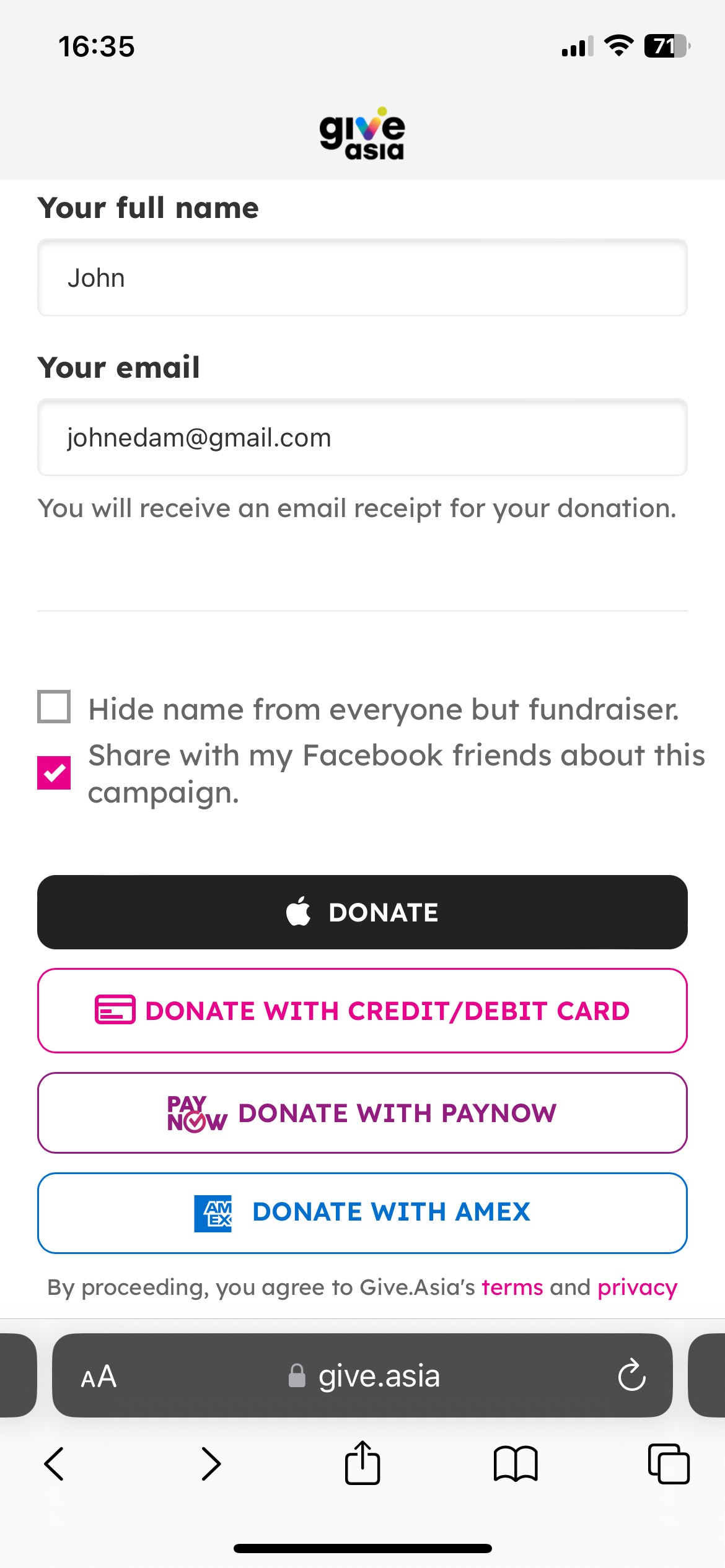
Step 4: After the PayNow QR code is generated, take a screenshot of the QR code.
You may zoom in to have a clearer full picture of the QR code.
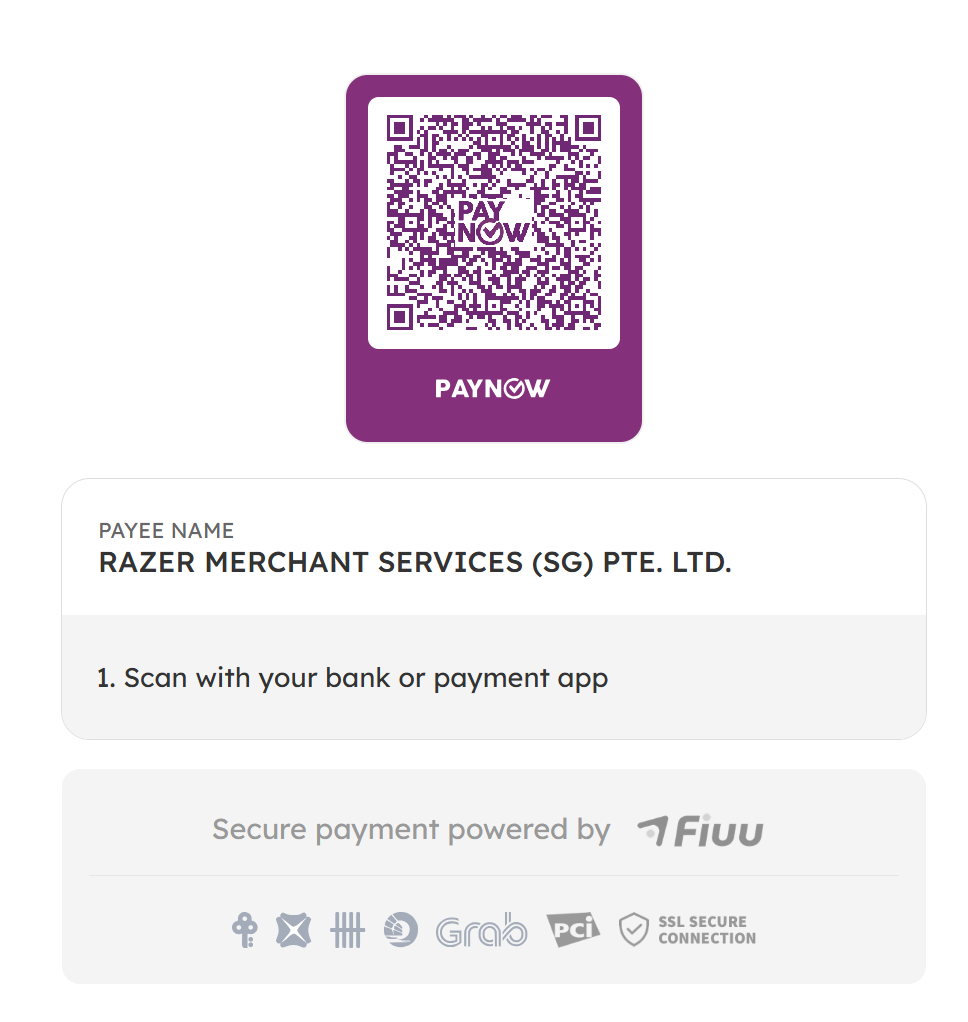
Step 5: Complete the payment on your bank app or payment app.
Open your bank app or payment app, select the option to scan a QR code and choose this screenshot saved earlier. You can complete the payment now.
Donating on Give.Asia using a desktop computer
Step 1: Find a campaign that you wish to donate to, then tap "Please Donate"
Step 2: Enter or select an amount, then tap Continue
Step 3: Scroll down and tap Donate with PayNow
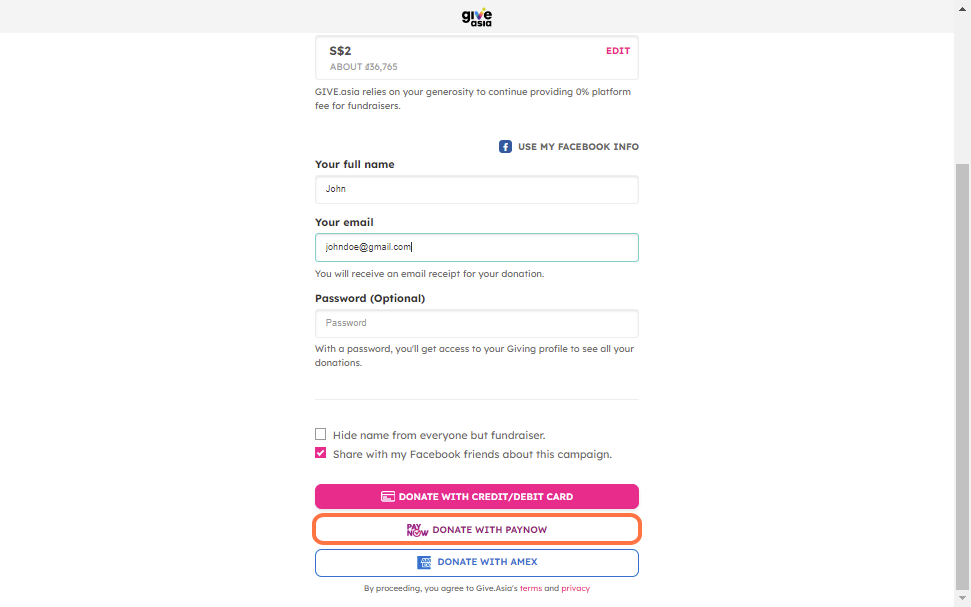
Step 4: Keep the generated PayNow QR code tab open in your browser
Step 5: Complete the payment on your bank app or payment app.
Open your bank app or payment app, select the option to scan a QR code and complete the payment.
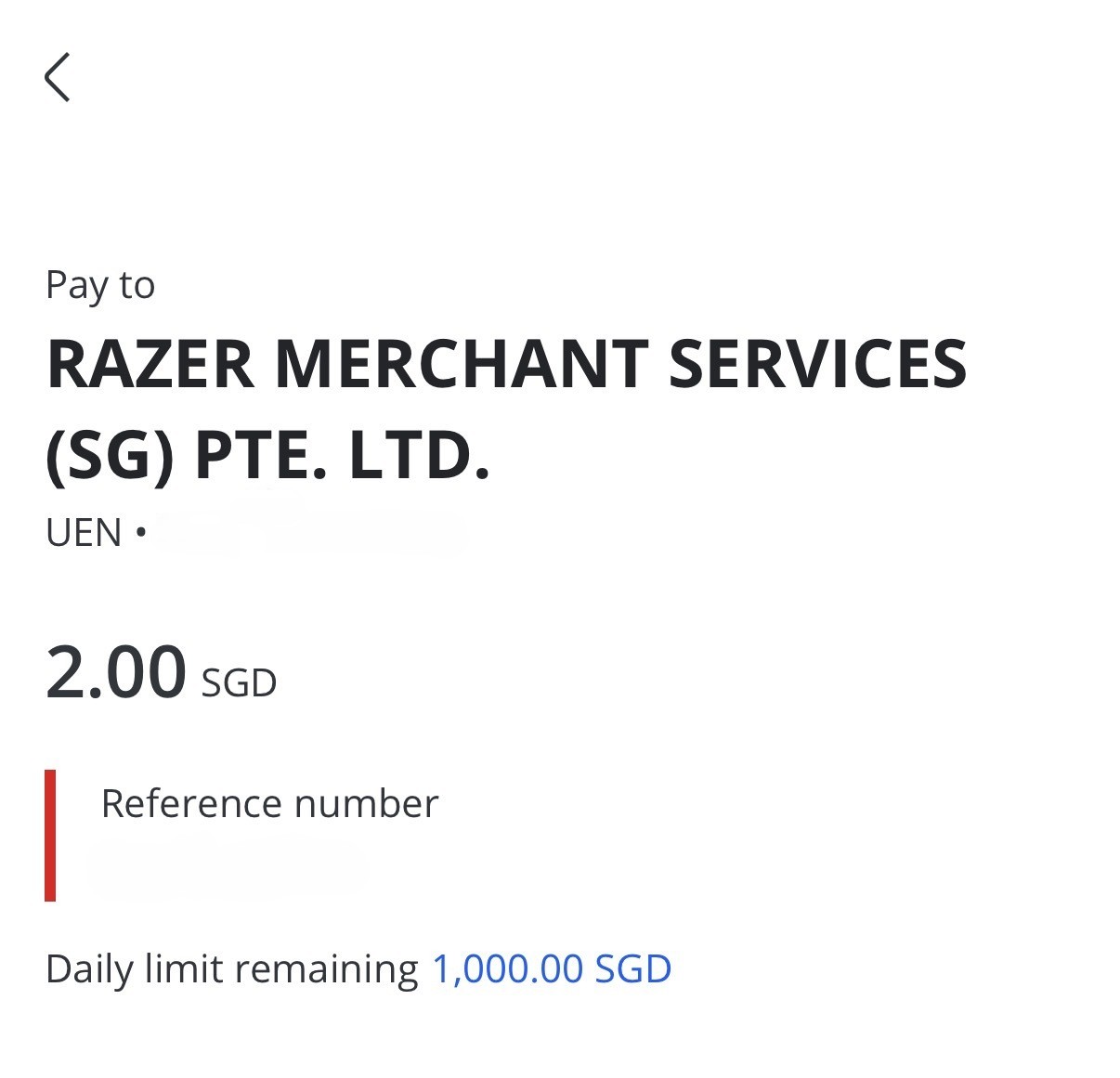
Important: Occasionally, the payment processing by PayNow might be slightly longer. Please let us know if you do not receive the confirmation email within 2 hours.
You will see that the recipient's name is Razer Merchant Services (SG) Ltd. which is correct.
Experience the Joy of Giving - Visit Give.Asia Now
If you encounter any issues or have questions, don't hesitate to reach out to us at: [email protected].
Your feedback matters, so feel free to drop us a line anytime!