.png)
Take the Volunteer Matching Quiz
Taking the Volunteer Matching Quiz is a simple way for volunteers to discover what kind of volunteering suits them best on volunteer.give.asia. Sometimes, we know that it's not easy to start volunteering when there are so many different opportunities to choose from.
The quiz asks a few short questions about interests, preferences, and strengths, and suggests volunteer roles to help guide volunteers towards meaningful opportunities.
Why is the quiz important?
- After expressing interest in or signing up for a role, volunteers will receive weekly recommendations aligned with their interests.
- It saves time, reducing the need for manual browsing by highlighting opportunities that may be a good fit
- It helps charities connect with volunteers who are have a committed interest in their cause
How does it work?
Step 1: Start the Quiz
Click on Take the Quiz. You'll find this button on the volunteer.give.asia homepage.
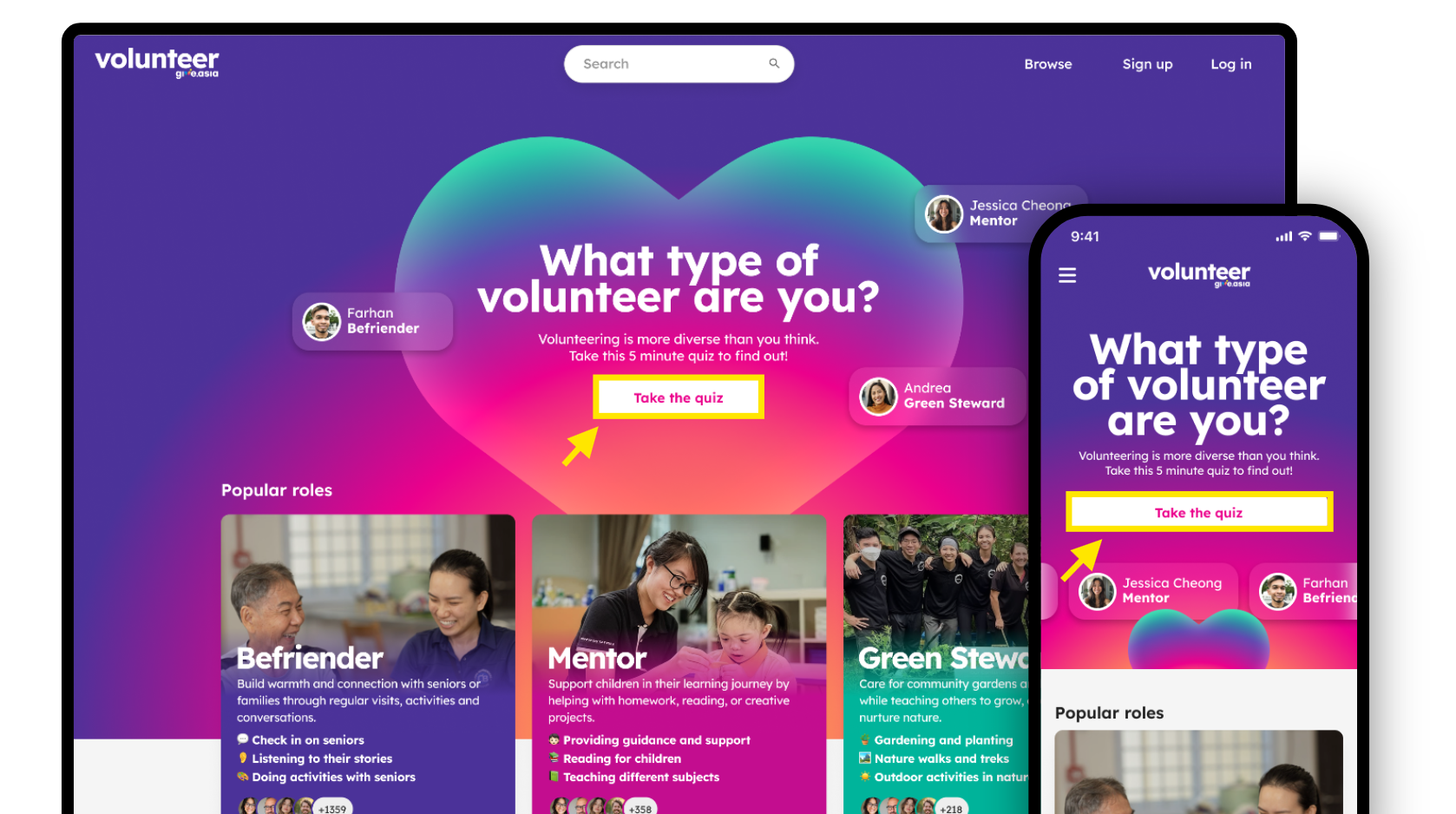
Step 2: Sign up for an account.
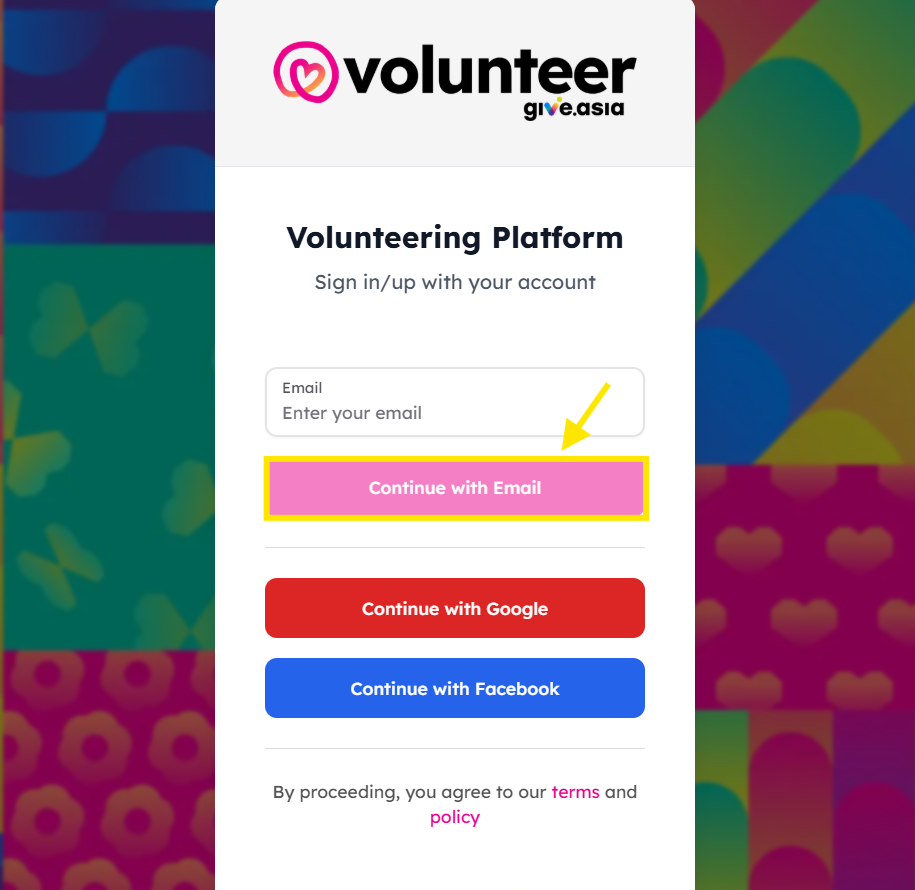
You can create an account in three ways:
| Logging in with Email |
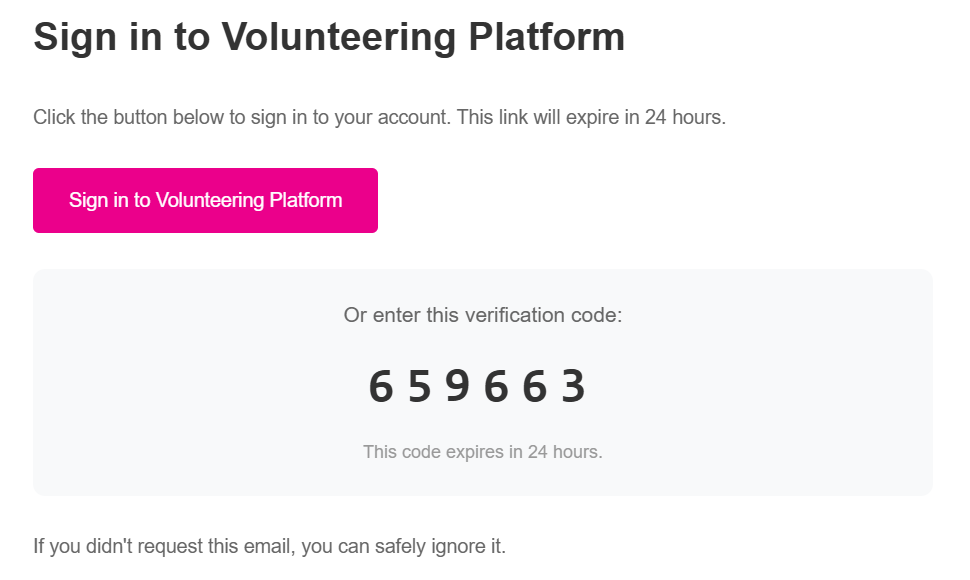
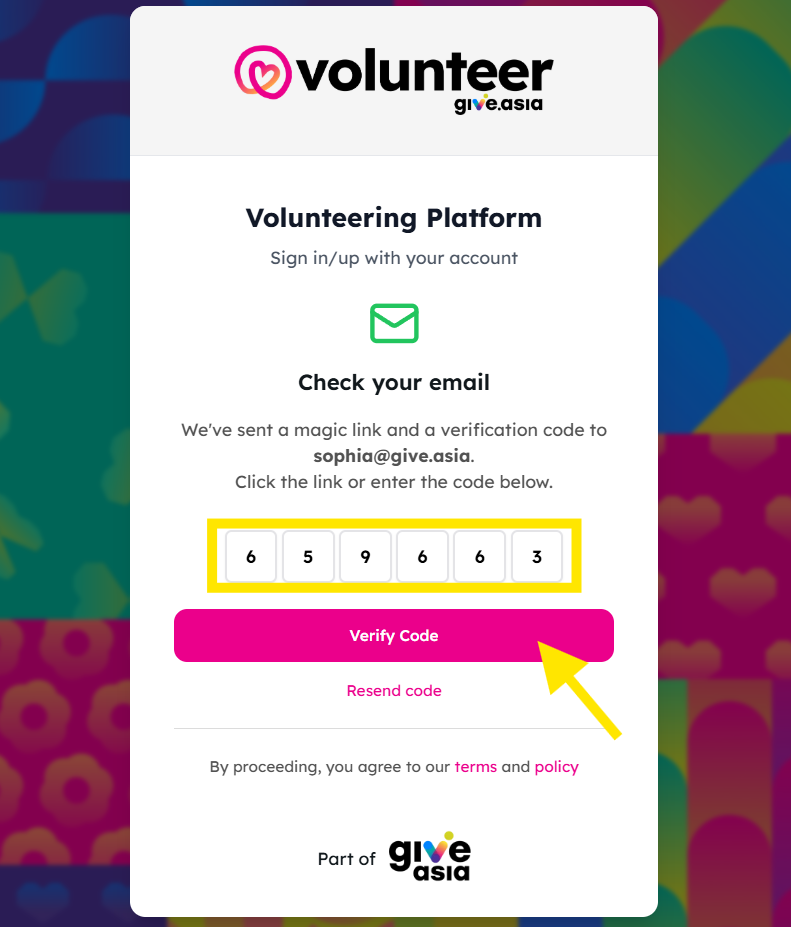
1. Enter your email address and click Continue with Email. 2. Check your inbox for the welcome email. 3. Choose either one of the following ways to log in:
This will log you into the platform.
|
| Logging in with Google |
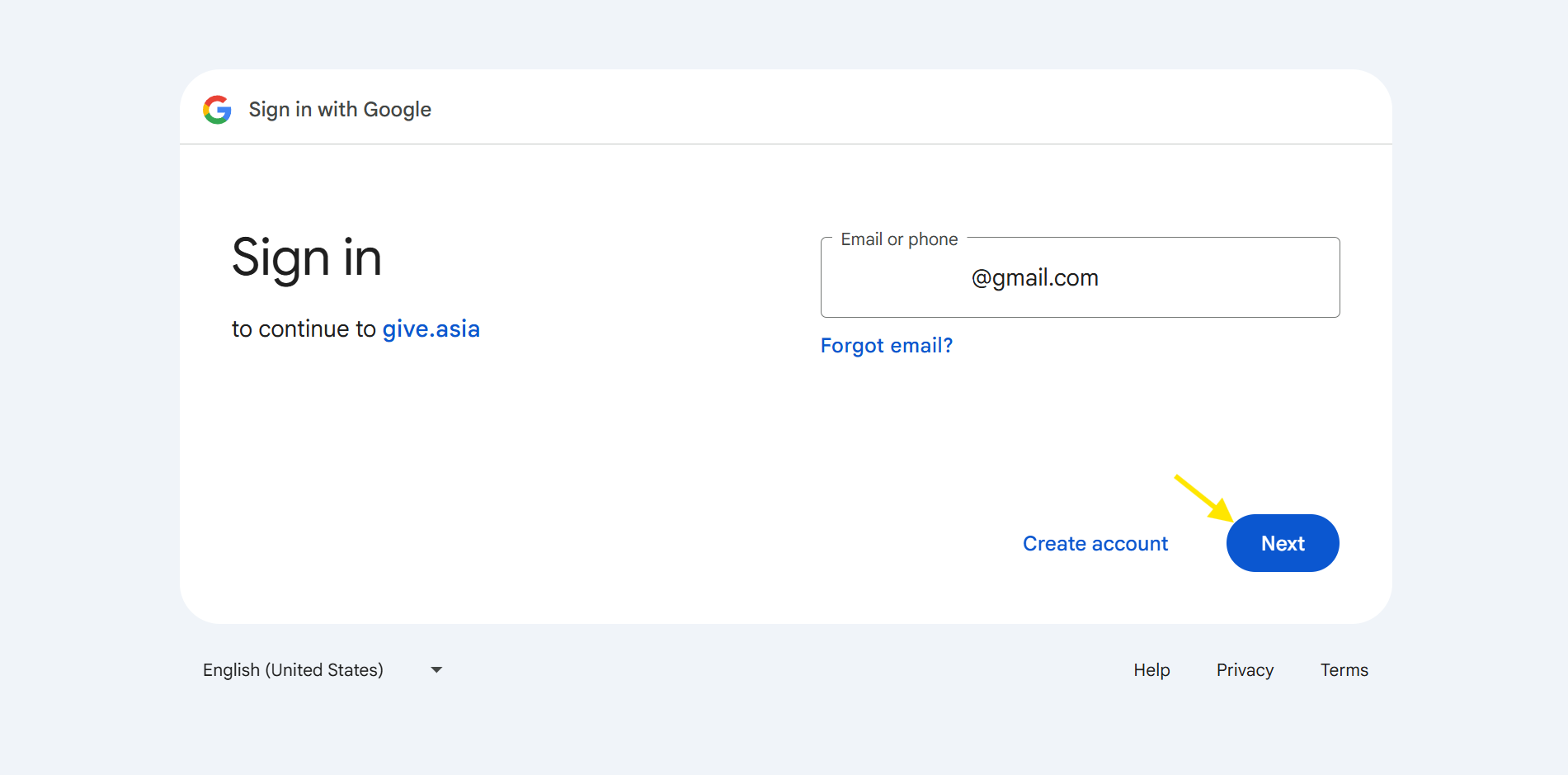
Click Continue with Google, this will automatically redirects you to Take the volunteer matching quiz.
|
| Logging in with Facebook |
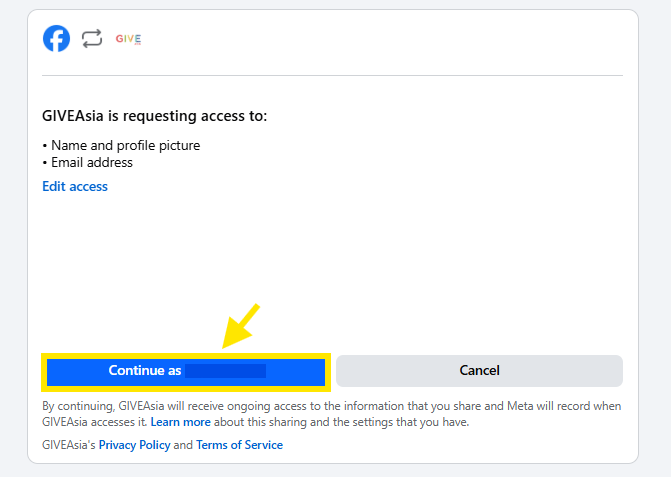
Click “Continue with Facebook.” You’ll be redirected to a page requesting access. Select “Continue as [Your Name]”, and you’ll be taken back to the platform to start your volunteer matching quiz.
|
Step 3: Complete the Volunteer Matching Quiz
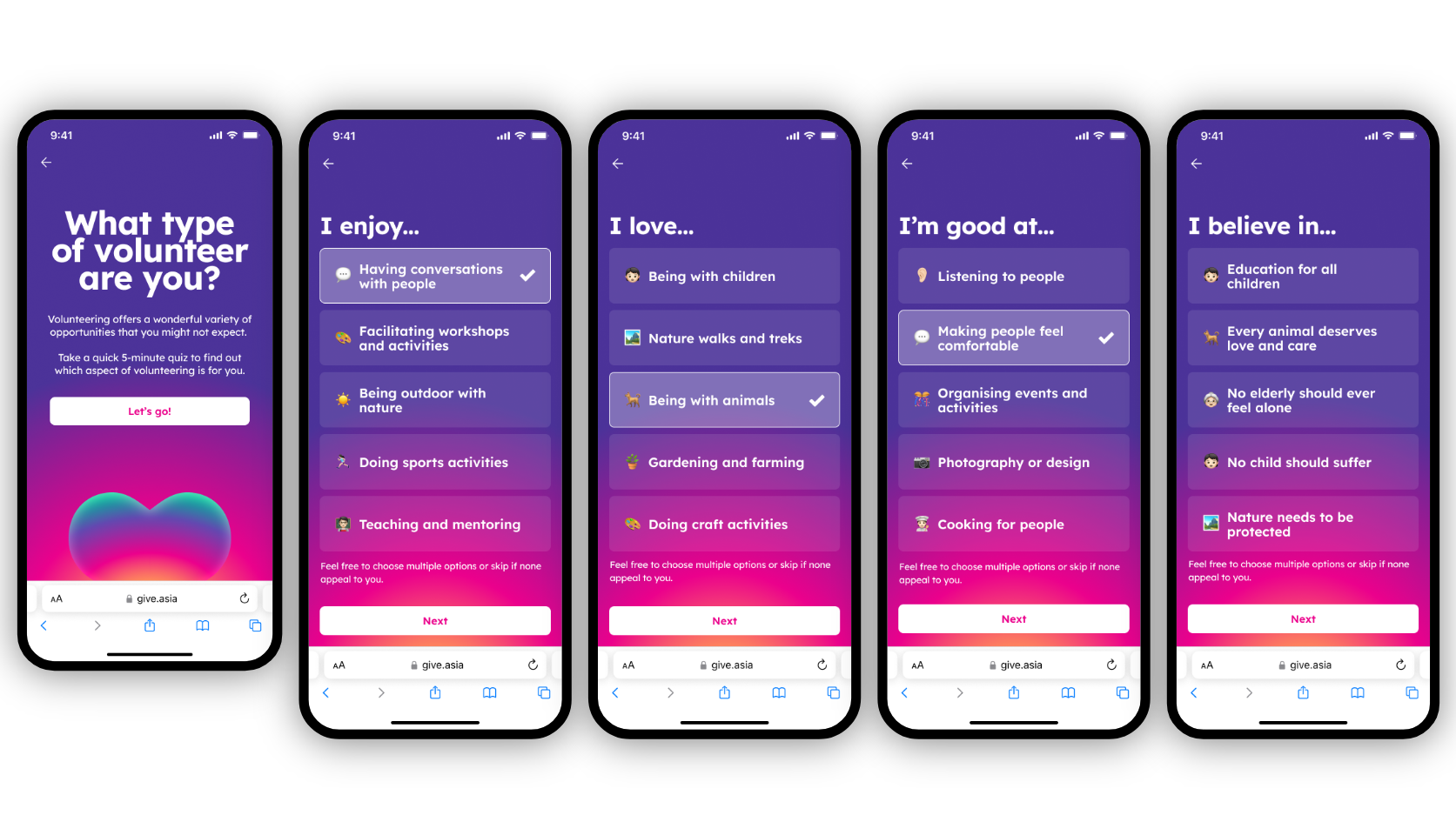
1. Volunteers will answer a short series of questions about:
- Activities the volunteer enjoys
- Areas or causes they feel strongly about
- Skills or strengths they are comfortable with
The quiz takes about 3 minutes to complete.
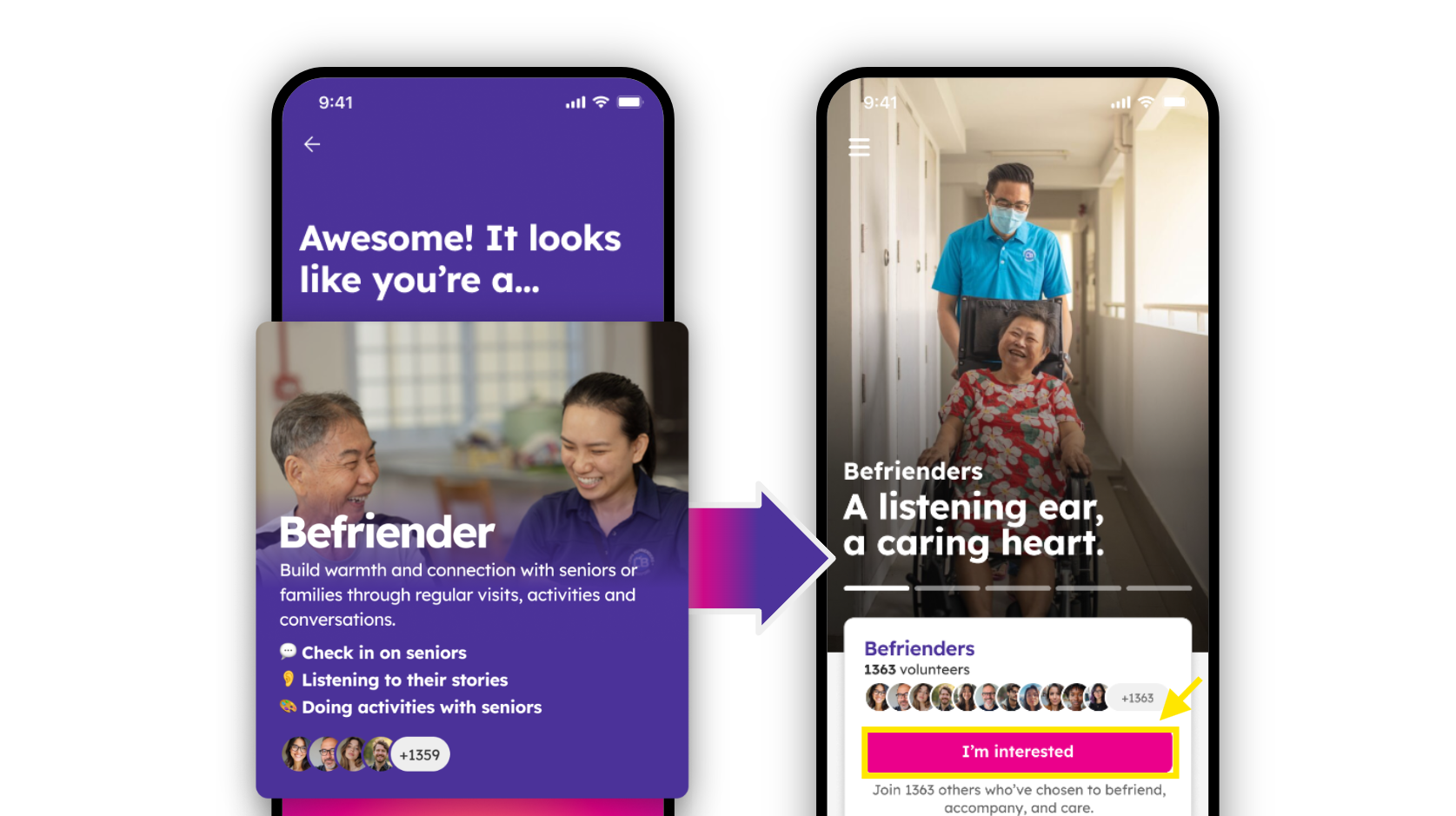
- View your suggested volunteer role and click I'm Interested.
After completing the quiz, volunteers will see a suggested volunteer role based on their responses and can explore related opportunities.
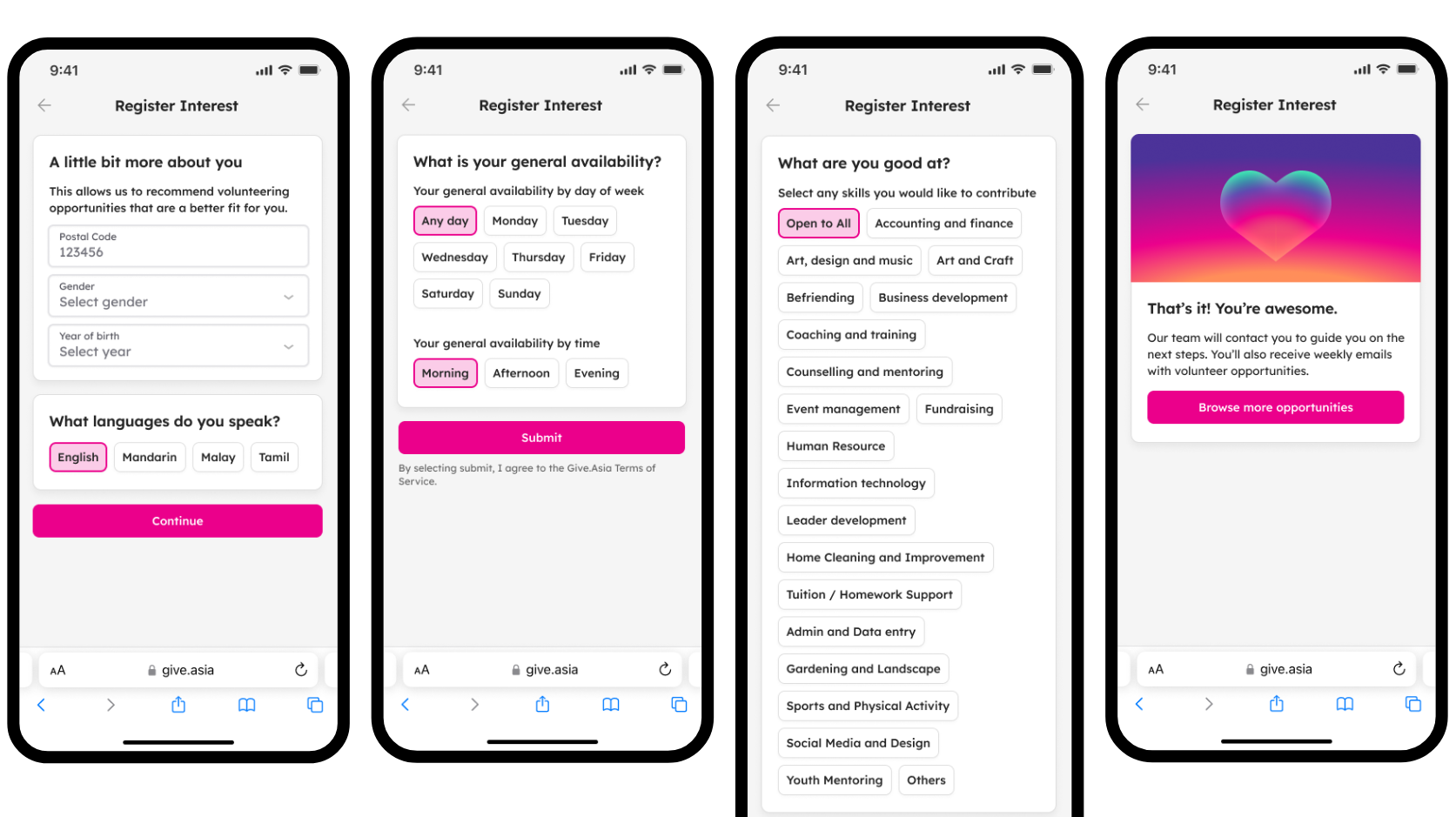
Step 4: View your suggested role and tell us a bit more about you.
After you complete the quiz, you’ll see a suggested volunteer role based on your answers.
If you tap I’m Interested, we’ll ask you a few short questions about yourself, such as your availability, languages, and the kinds of activities you’re open to. This helps us show you volunteering opportunities that are a better fit for you.
Experience the Joy of Volunteering - Visit Volunteer.Give.Asia Now
If you encounter any issues or have questions, don't hesitate to reach out to us at: [email protected].
Your feedback matters, so feel free to drop us a line anytime!